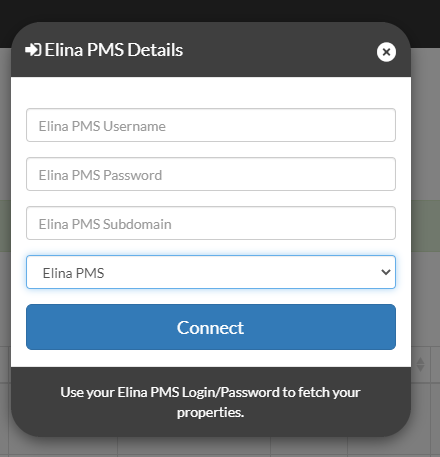
This article will explain to you a step-by-step guide on how to connect elina to Pricelabs.
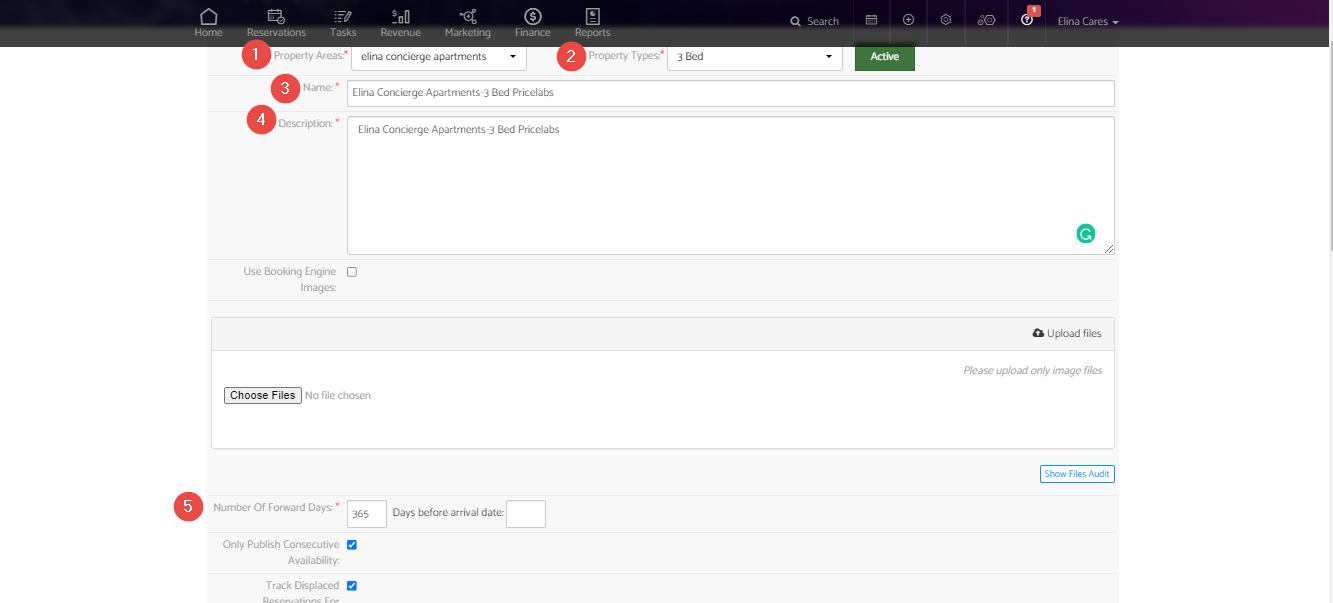
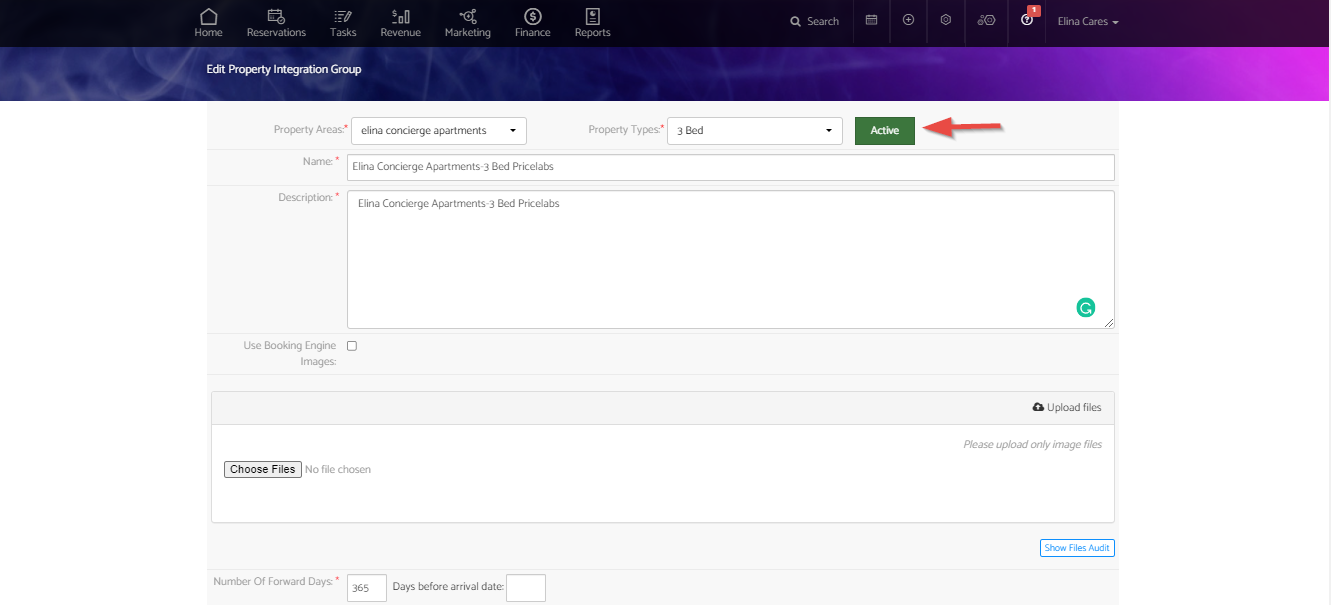
- Select the property Type
- Name the integration group as Property Area
- Insert the description same as integration group name
- Insert the number of forwarding days as 365
- S
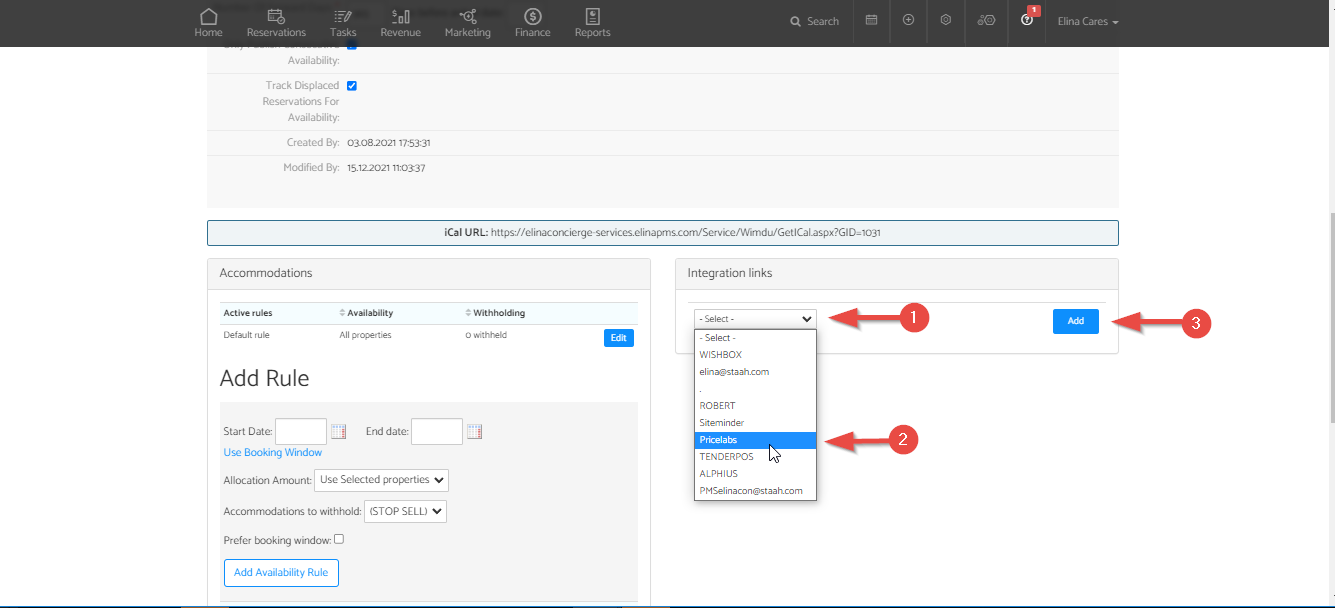
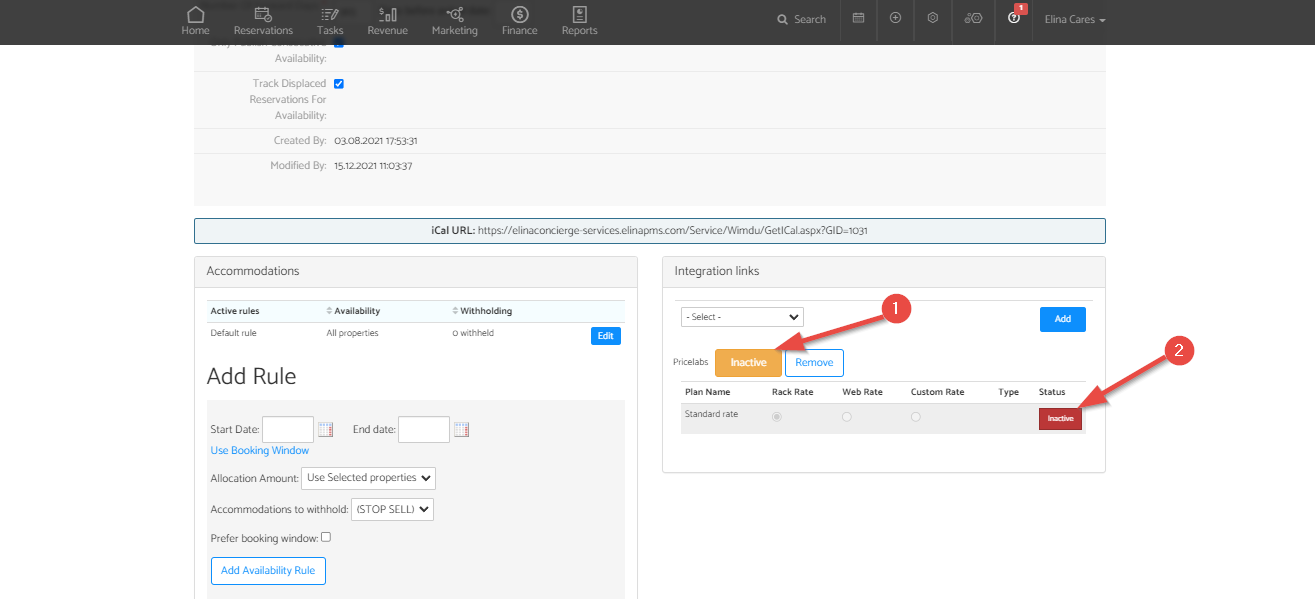
- Select Active to activate the rate plan
Are your listings not syncing on Pricelabs?
This is due to property/accommodation types connected to Pricelabs does not have a GEO location entered in elina – To update see the guide here.
Unable to Update the Location on elina?
You are unable to do so because the required settings are not enabled whiles generating Google Maps – API Key or the Trail period for your cloud platform has expired (which reduces the service availability) – For more details see here.
Looking for details Required to Sync listings on Pricelabs Extranet?
Elina PMS Username: PRICELABS
Elina PMS Password: Password generated - Given during set up of Pricelabs integration
Elina PMS Subdomain: CUSTOMERNAME-services (example) If your elina URL is https://elinaconcierge.elinapms.com/ your domain is elinaconcierge-services
Note: get in touch with the concierge team if you require any further details.